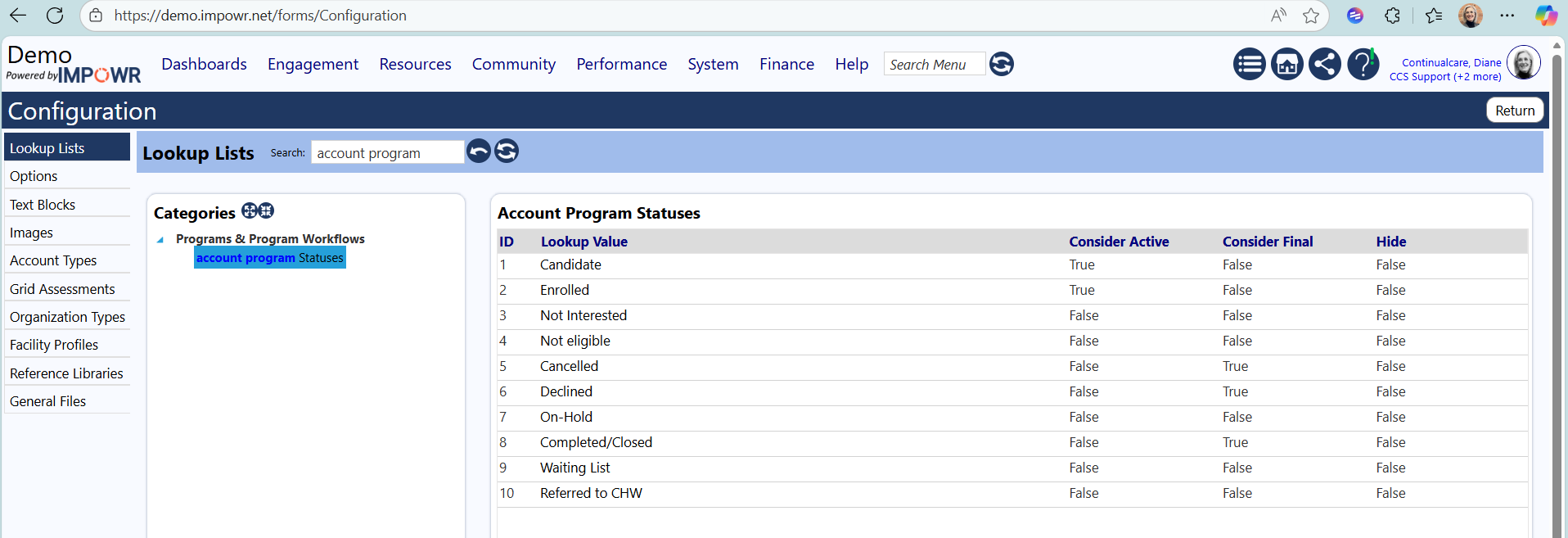
Overview of Account Program Statuses
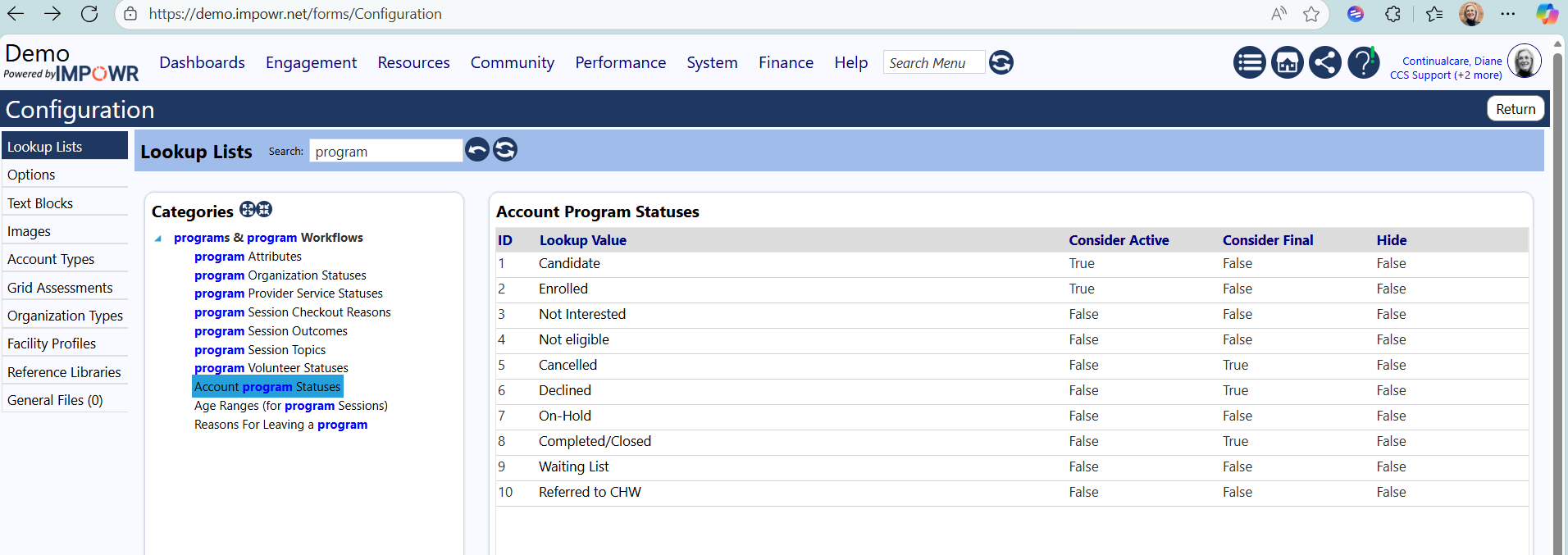
Default Account Program Statuses
- Interested, Candidate, Waiting List, - the "pipeline" of how clients can come into a program
- Not Interested, Not eligible, Declined - outcomes for clients who end up not participating in a program
- Enrolled - client is actively in a program
- Completed/Closed - a client has gone through the entirety of a program and finished
- Cancelled - a client dropped out of a program
- On-hold - a client who has paused their progression, but only temporarily, and expect to be resolved
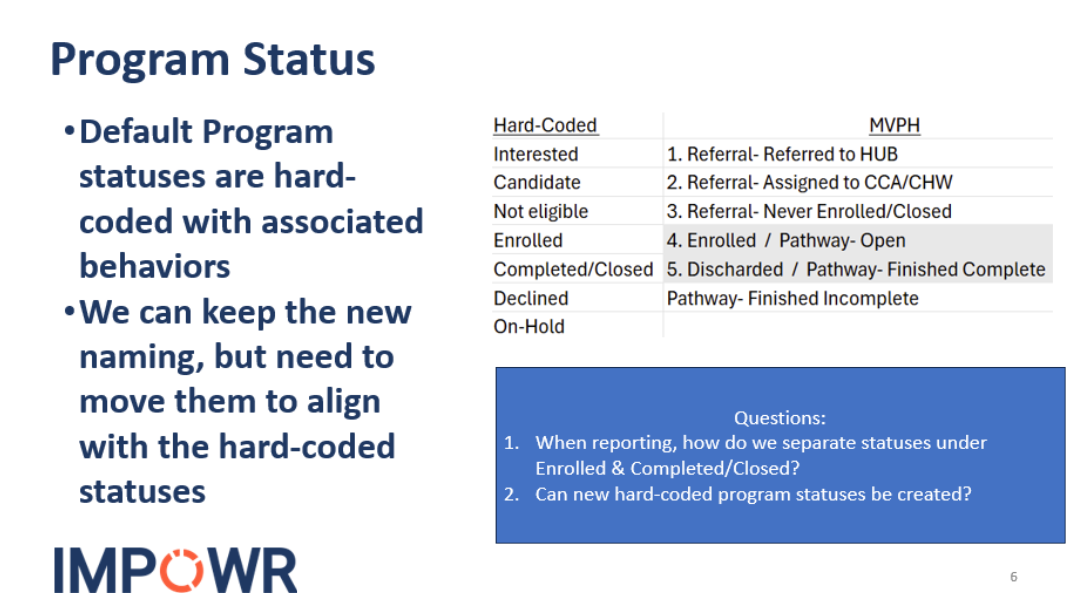
Key functionality tied to the above statuses
- Many IMPOWR screens include or exclude clients based on their activity in programs, and leverage Account Program Status for this
- A handful of IMPOWR screens pivot and rollup data based on statuses and groupings of statuses
- Behaviors for detecting overlapping and duplicate programs rely on Enrolled and Completed/Closed statuses
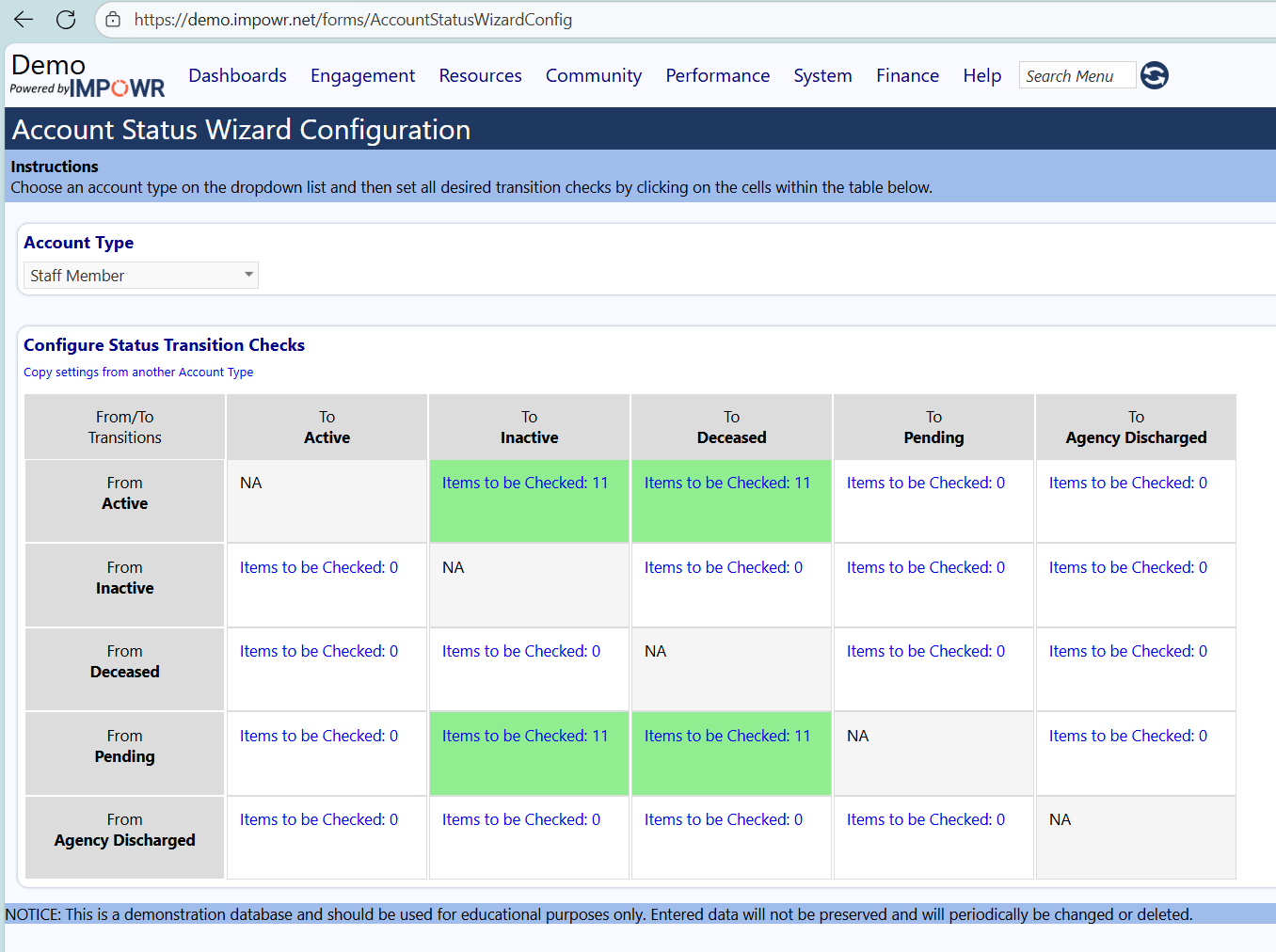
- Wizards for closing out ongoing programs for an inactive client (e.g. moved out of area, deceased) help make the right choices based on status
- The process for converting Applicants into full Accounts relies on the pipeline and Enrolled status
- Several methods for putting clients into a program rely on the Enrolled status