How do I restrict the action list to specific Staff Action Plan priorities
Setup
The first thing that needs to be done is to set up the individual and shared actions in the Program...
- Open a Program in Edit mode
- Select the Program Operations tab
- Either access an existing Household Activity or an item in the Staff End-of-the-Day Listor create a new activity
- Set the Priority in the Edit item panel
- Save your activity entries
- Save the changes you made to the Program
Restricting the display of specific Staff Action Plan priorities
- In the Staff Action - Work Queue, select the Priority using the priority filter drop down list
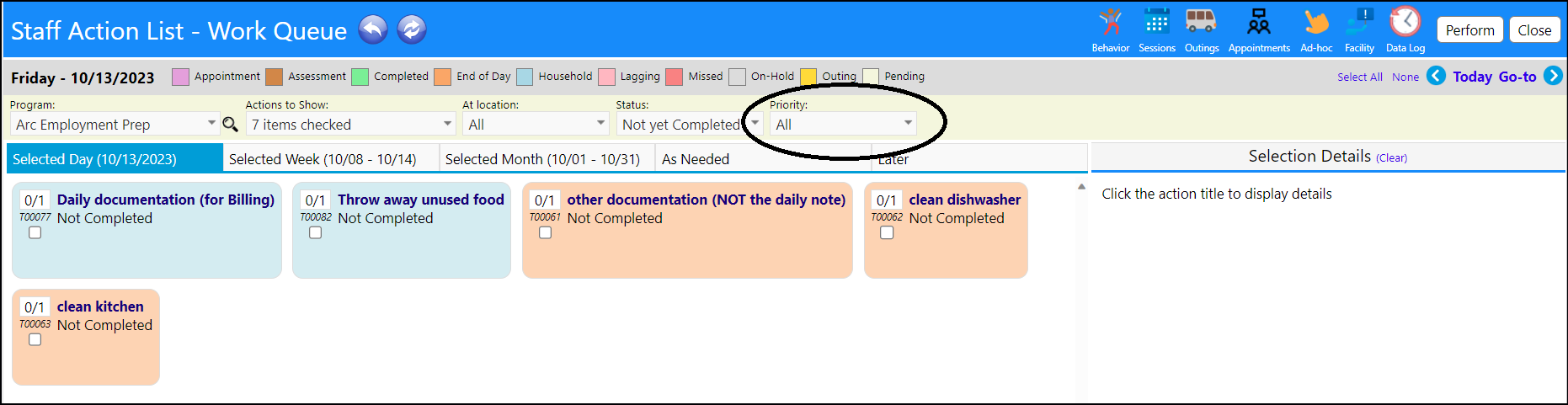
- Refresh the screen
- Only actions with that priority will display in the list
