How do I enroll Clients in a Program Session
When enrolling clients in a Program Session, you must first create the session in the Program. * Go to Resources > Programs & Activities > Programs. * Select the Edit Mode. * Navigate to the Sessions tab. * Click the '+' to add a new Session.

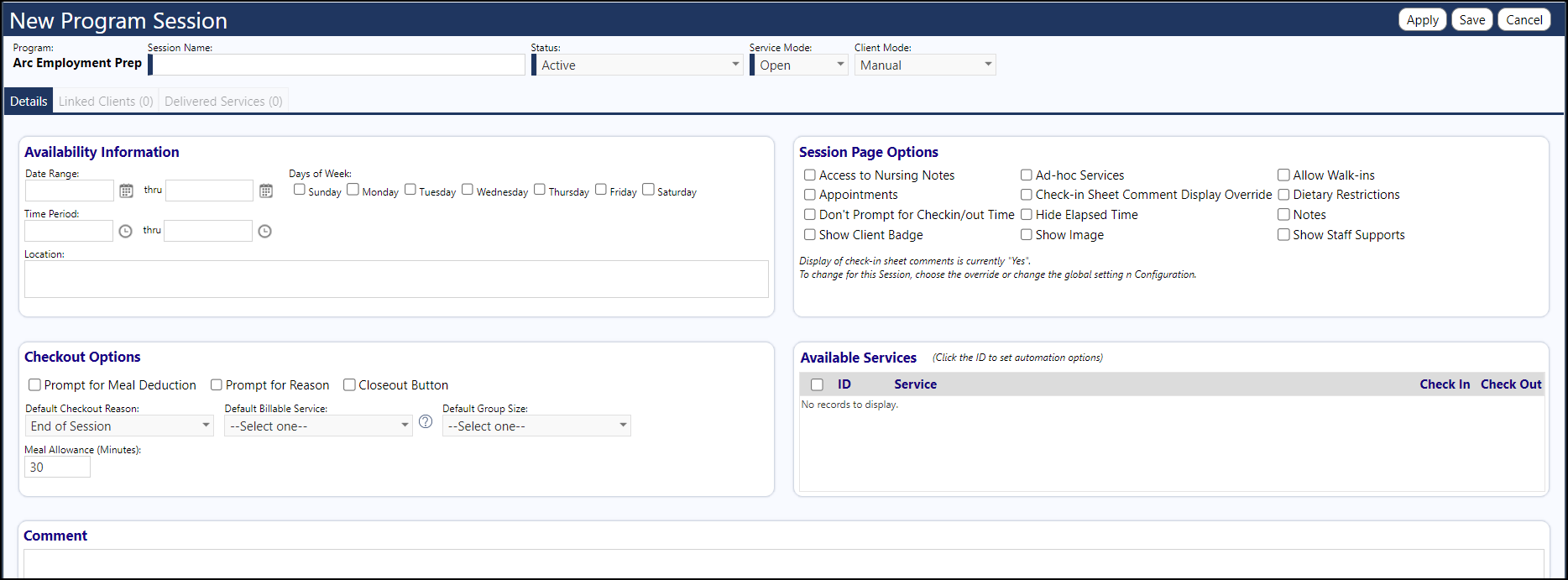
- Enter the Session Name
- Set the Session Status to Active
- Ensure the Service Mode is set to 'Open'
- Set up the Availability information
- Set the Date Range
- Set the Time Period
- Select the Days of the Week
- Select the Client Mode
- If you select 'All Enrolled', then all clients enrolled in the program will be enrolled in the program session (the clients list on the Linked Clients tab will be ignored)
- If you select 'Manual', you have to access the Linked Clients tab and select the clients to manually add to that list
- Be sure to save your settings and your program when completed.