Why don't our prescreener questions appear on the client intake form
This article will describe what needs to be checked in case your prescreener questions do not appear on the client intake form.
If you created some prescreener questions and they do not appear in the Client Intake Form, most likely, it is based on the Account Role of the user. The Account Role has to be set to ask questions since some roles may ask and not others.
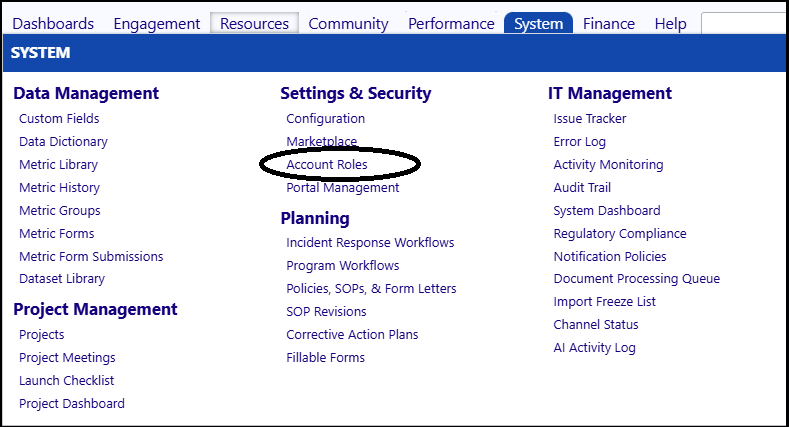
Access the Account Roles by navigating through the System menu and going to the Settings & Securities section.
- Click on Account Roles.
- Select the appropriate Account Role for the user who accesses the intake form and does the prescreening.
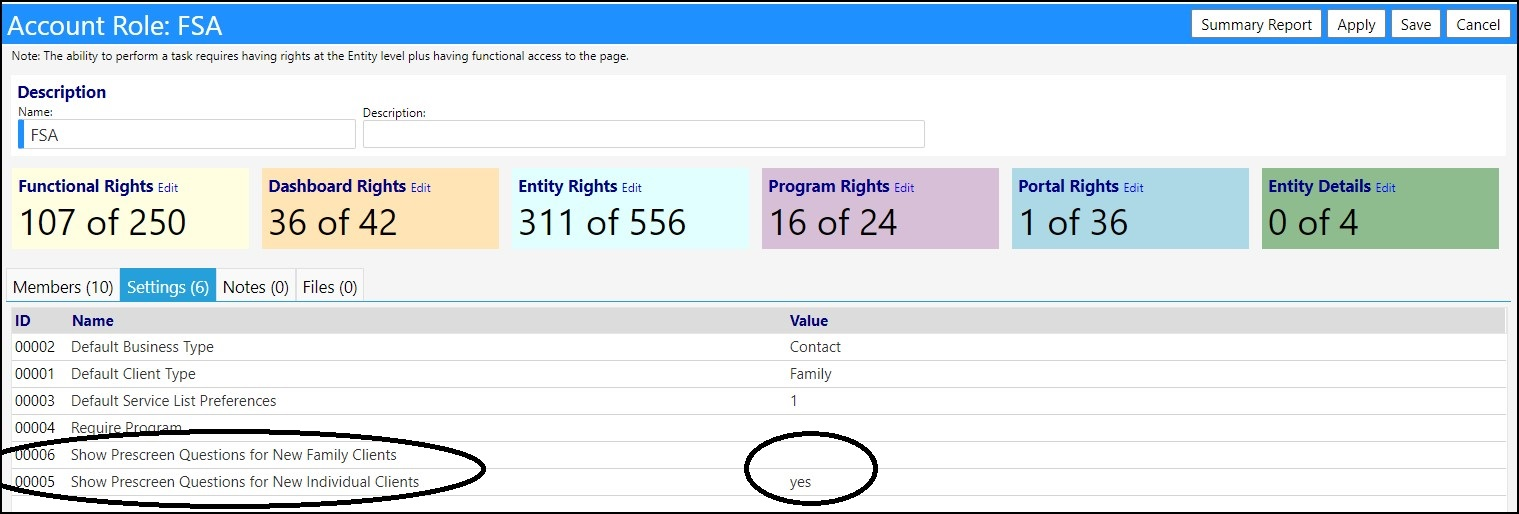
- Select the Settings tab.
- Look for the row which indicates Show Prescreen Questions for New Individual Clients and/orShow Prescreen Questions for New Family Clients.
- Make sure the Value is set to yes. If it is not ‘yes’, click on theID of that row and enter ‘yes’ for the value andSave.
- Save your Account Role changes.