How do I perform an ad hoc billable service as part of my Staff Action Plan
Within a Staff Action Plan, users have the ability to perform ad hoc billable individual or group services from the Staff Action - Work Queue screen.
:
Some examples billable services are
- Discussing the individuals prevoc progress with family
- Meeting with businesses or organizations about potential/existing community work experiences
- Developing the individual's Staff Action Plan
- Documenting the delivery of services
- Traveling to and from allowable services
- Conducting assessments of vocational skills and interests
- OPWDD Innovations training
:
Process:
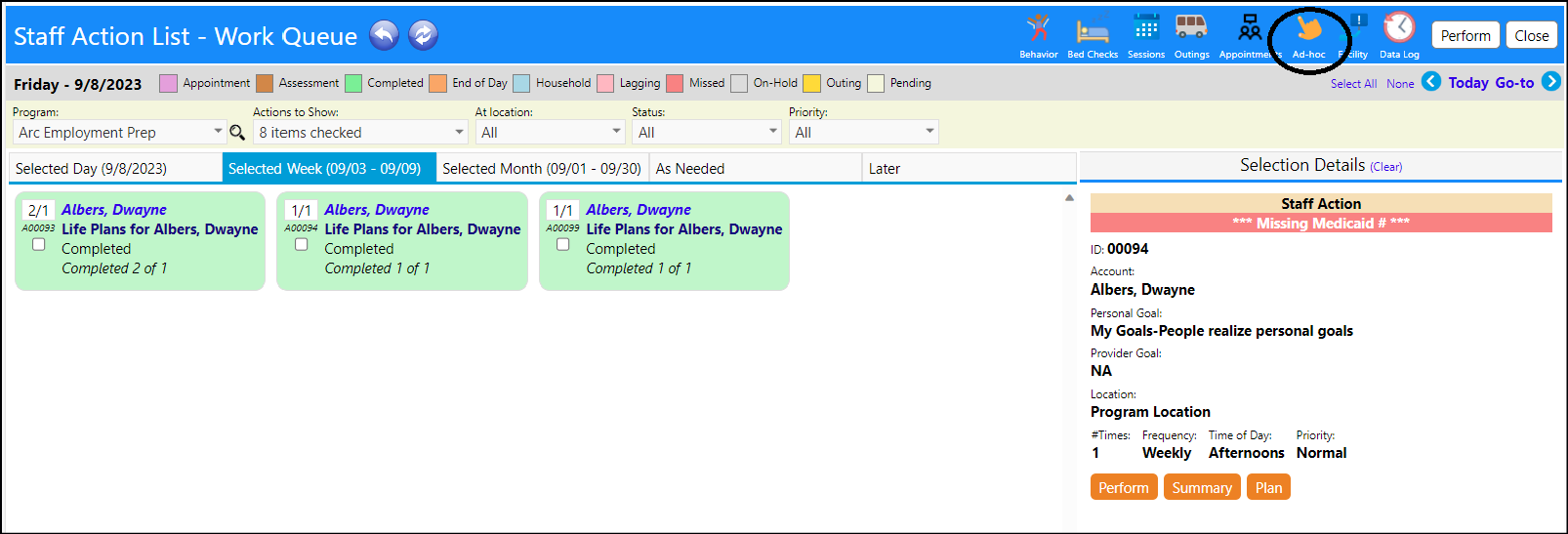
- Access the Staff Action - Work Queue
- Locate the Ad-hoc icon on the top of the screen and click that icon
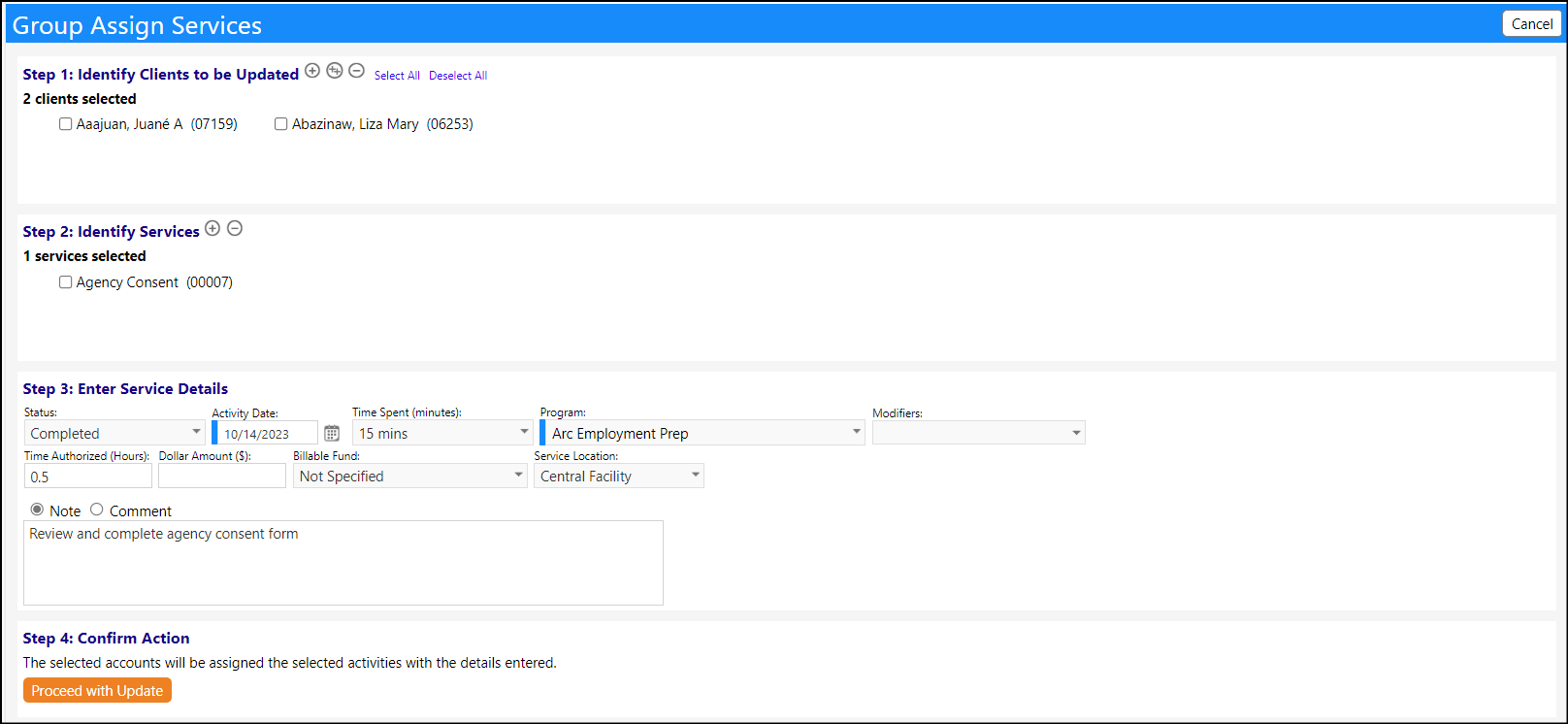
- Select the Clients, Services, and Service Details.
- Confirm your entries.
Example:
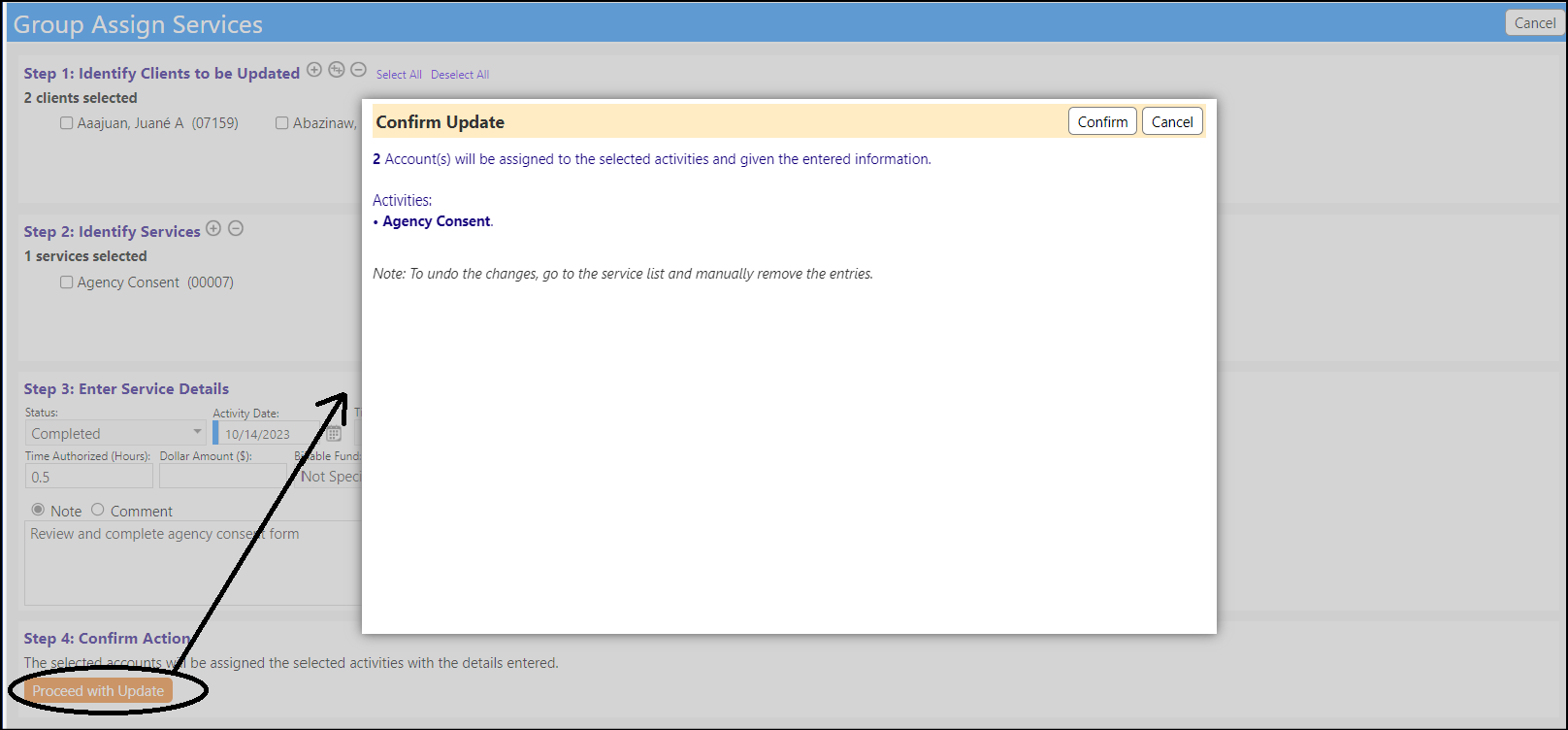
- Click Proceed with Update and then confirm
The billable services will be captured in the Program Services and will available for billing:
