How can I add or restrict Prompt Levels by Program
Prompt Levels can be added or restricted by Program.
Access the setup on the program config page to choose Prompt Levels you wish to make available and display on the Audit or when performing supports on the Staff Action - Work Queue page.
- Open your Program
-
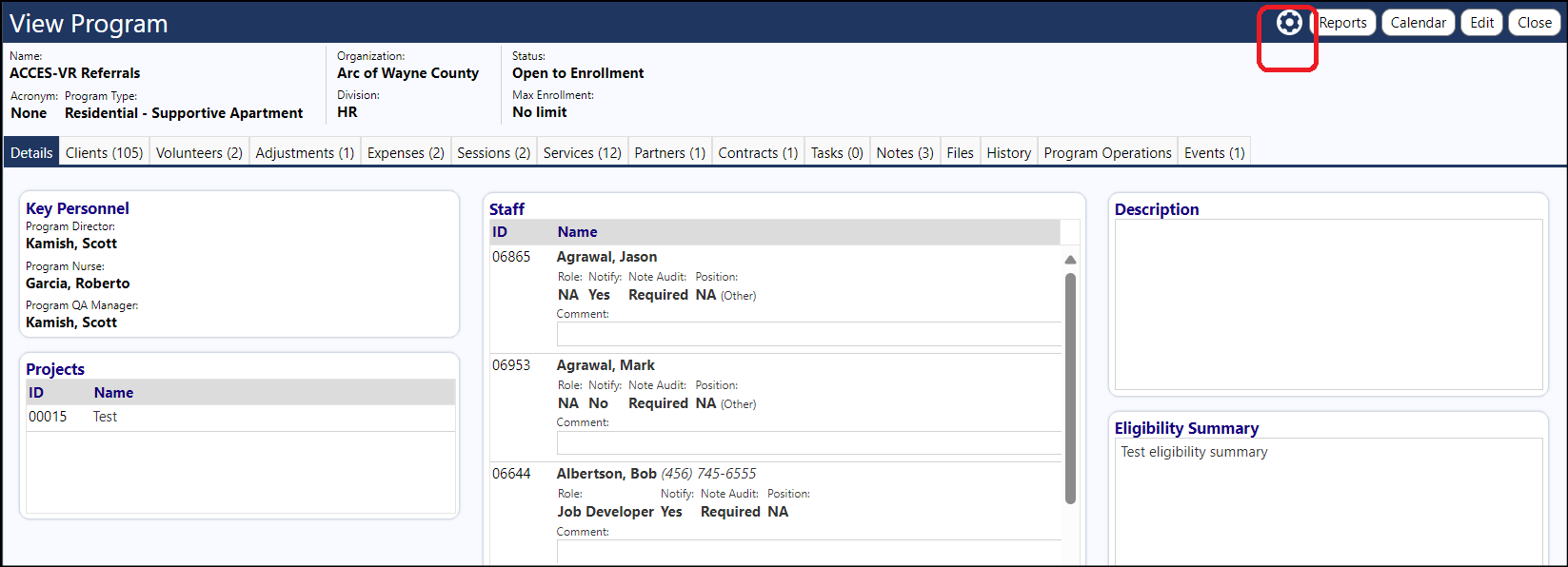
Click the Setting icon
-
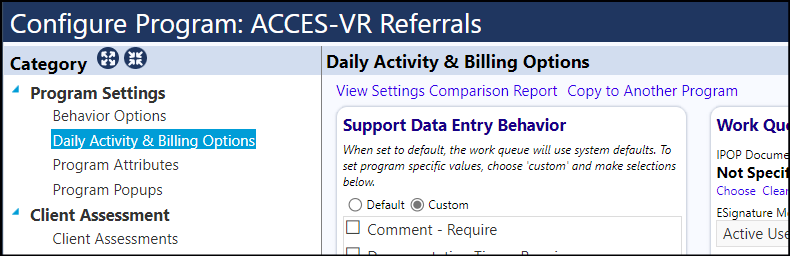
Select the Daily Activity and Billing Options Program Settings
-
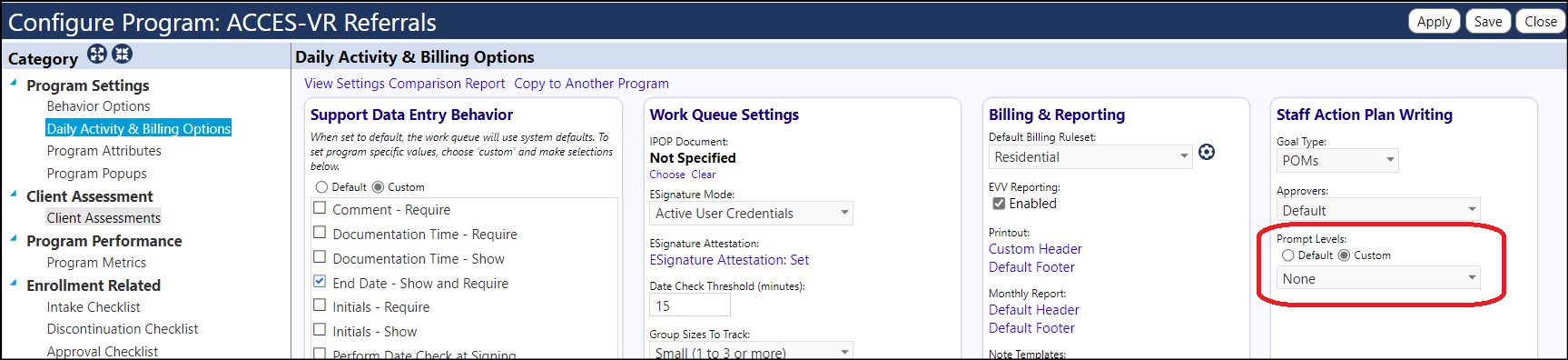
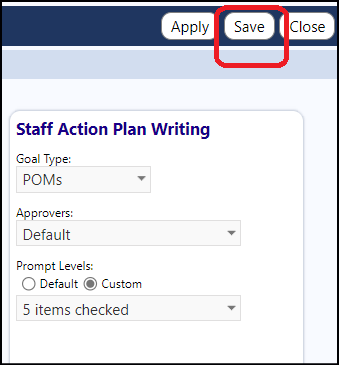
Locate the Prompt Levels setting in the Staff Action Plan Writing panel
-
Select 'Custom' if you wish to only make specific Prompt Levels available in the Audit or Staff Action - Data Log pages
-
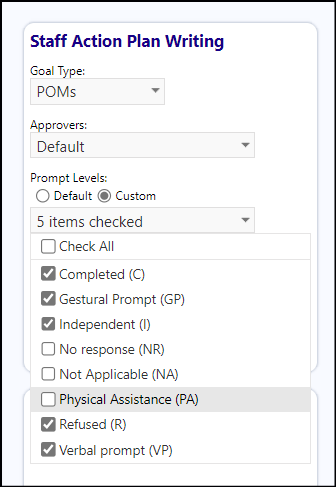
Choose the Prompt Levels you wish to make available, from the drop-down list
-
Save your settings
When selecting the Prompt Levels on the audit page or staff perform page, only the activated ones will be displayed and be made available.
NOTE: If the 'Default' Prompt Level is selected, then All Prompts will be available to choose from.