Is there a place I can view if my client has programs or services related to their goals
This article will present two locations for you to view whether your client has program or service-related goals.
The goals can be viewed in either of the following 2 locations in imPowr:
- Account Goals
- Goals on the Client Profile
Account Goals
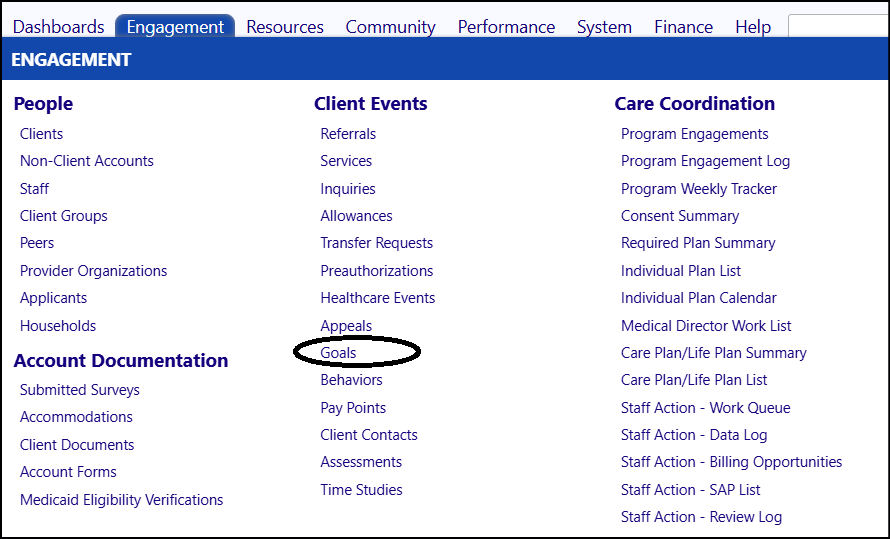
Access Account Goals by clicking on Goals in Client Events in the Engagement Menu.
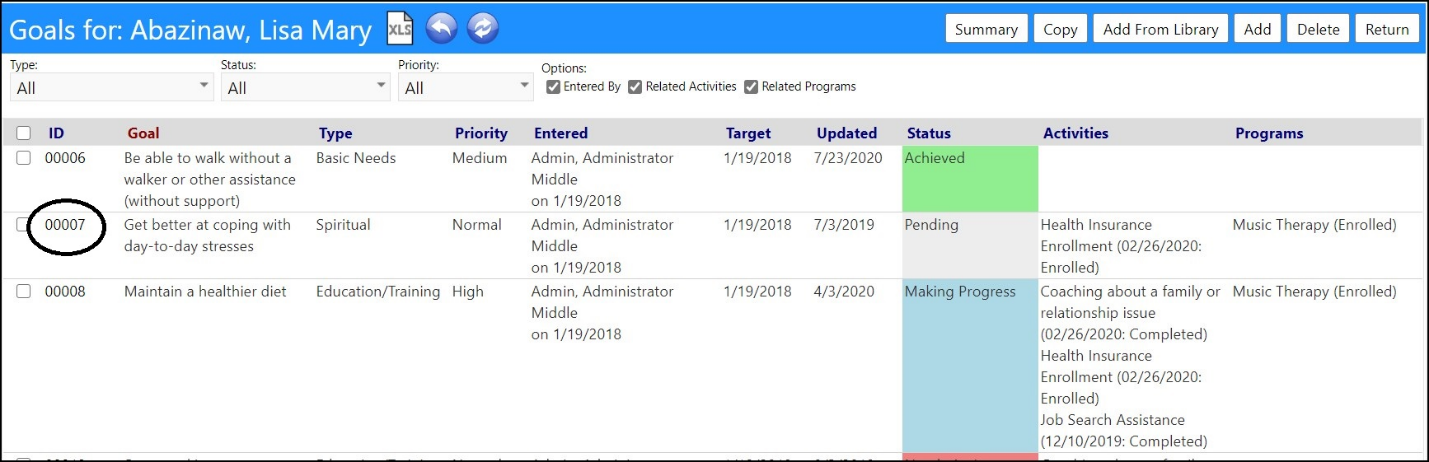
- Make sure the Related Activities andRelated Programs boxes are checked.
- Refresh the screen.
2 new columns will be displayed: Activities andPrograms.

- The goals with related programs will have an entry under Programs; the goals with related services will have an entry listed underActivities.

- View the goal details by clicking on the ID number for the goal.

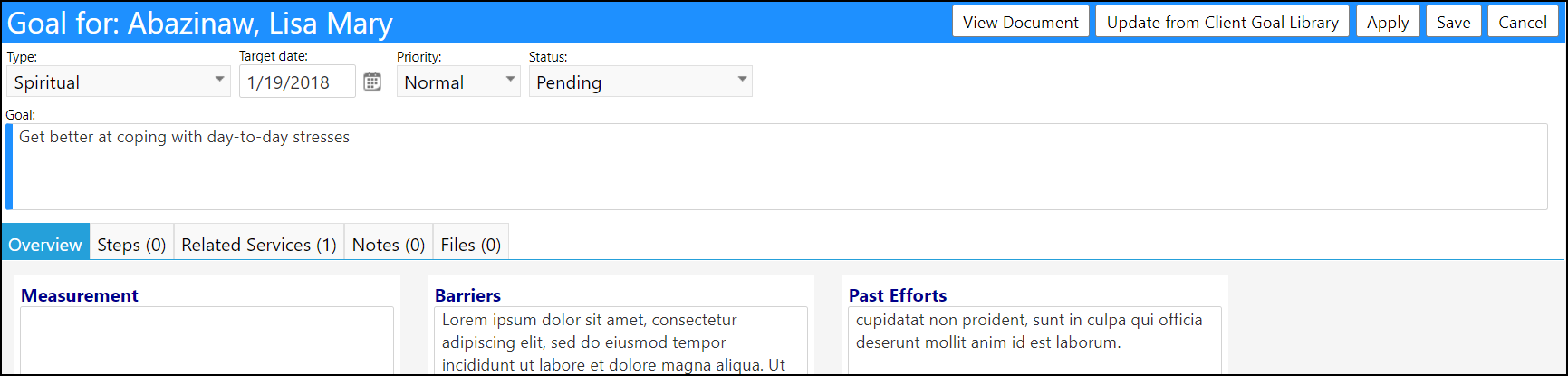
The goal details will display, including the barriers and past efforts.
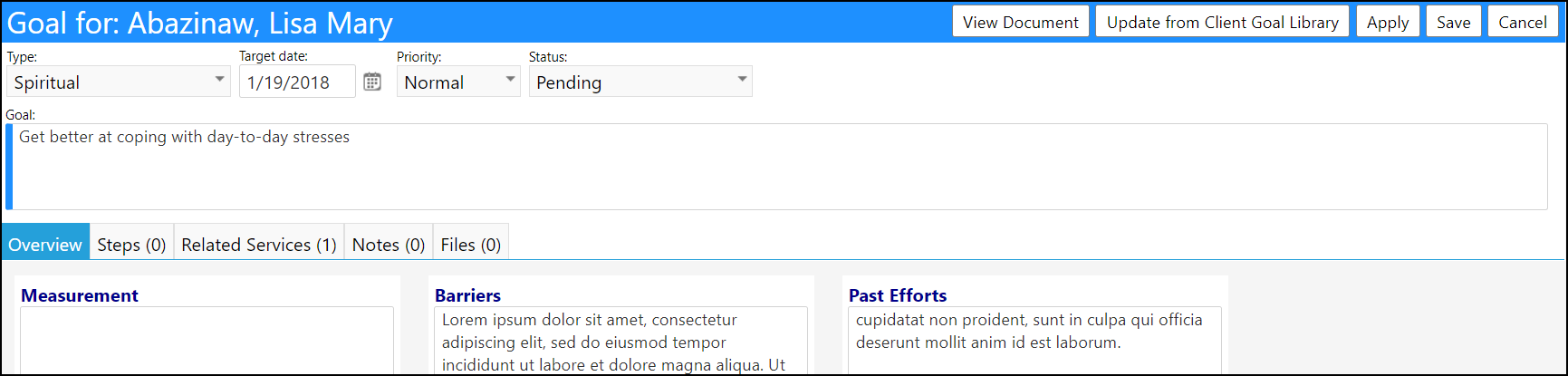
- Select the Related Services tab and click on theID.
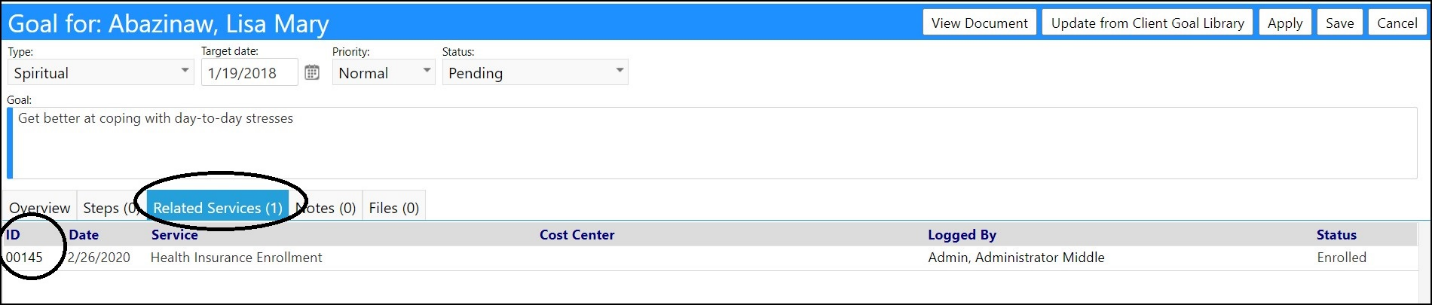
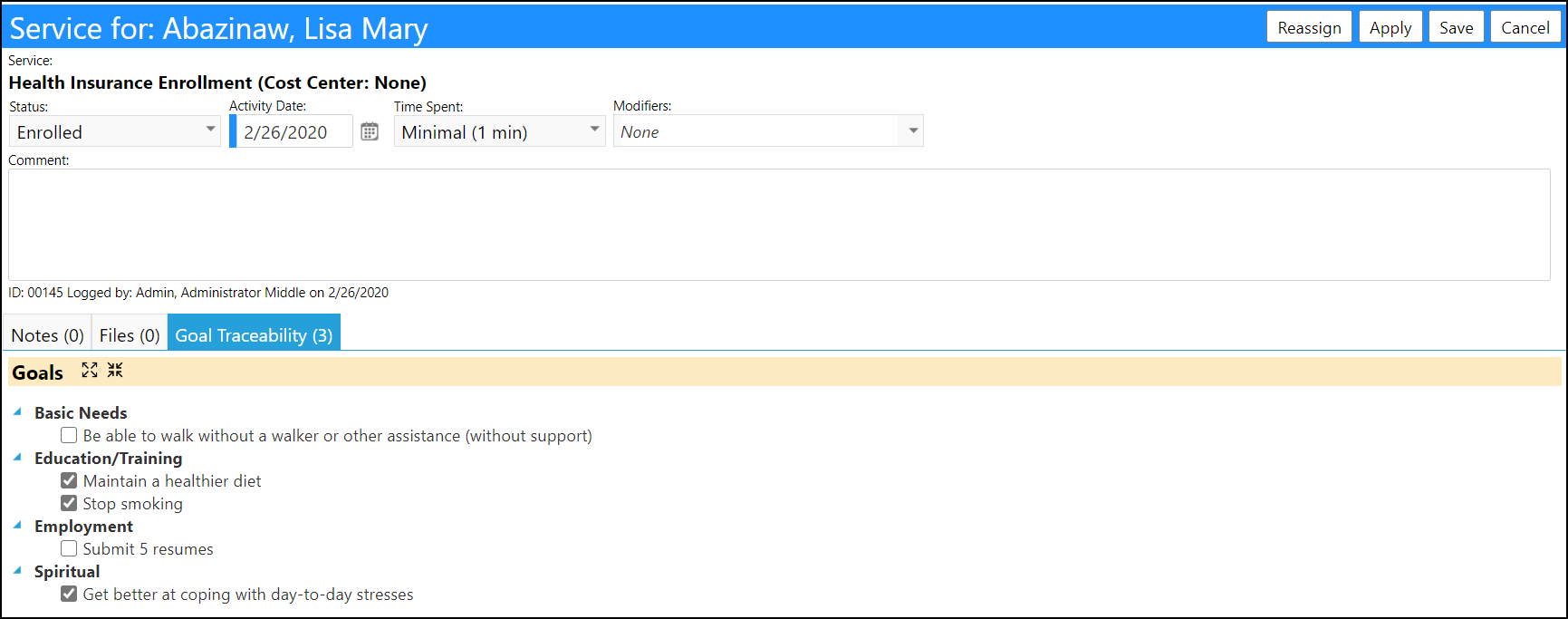
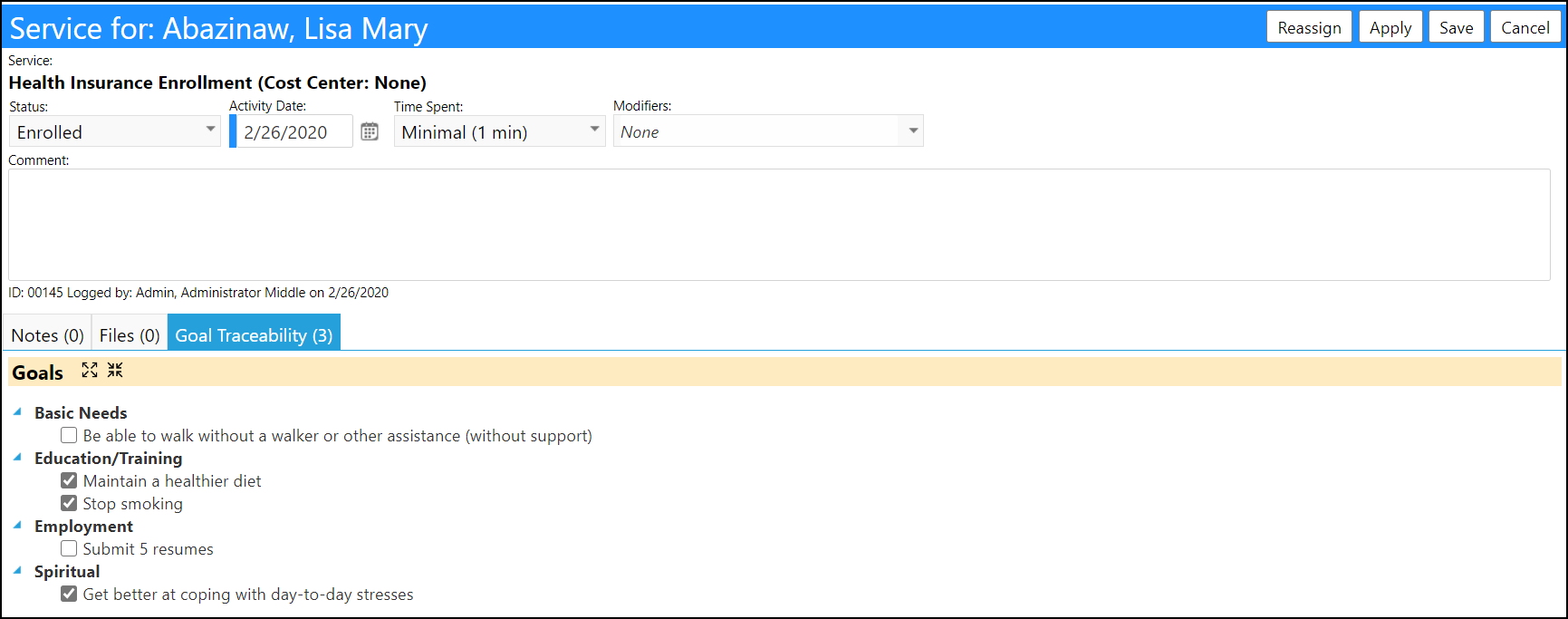
- The Service-Related Goals are displayed in the Goal Traceability tab:
Client Profile Goals
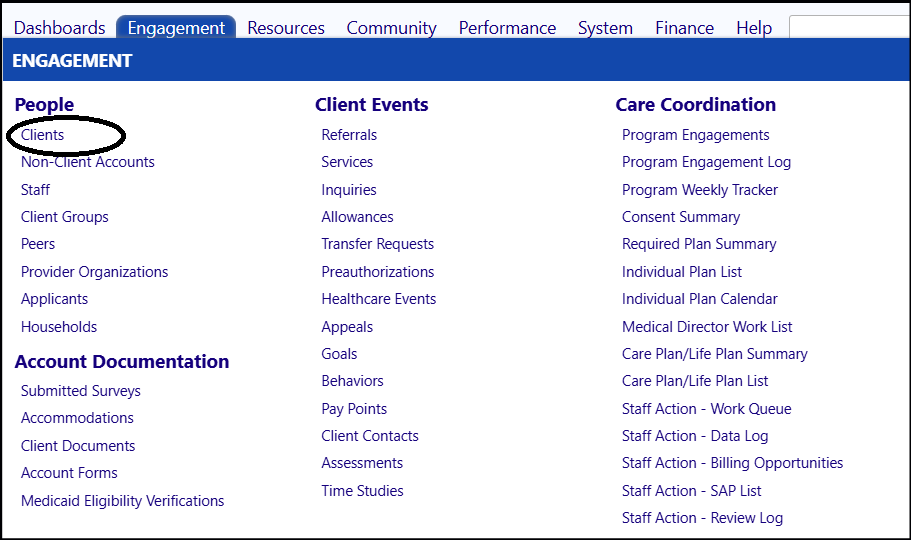
Access the Client by clicking on Clients in the People section of the Engagement menu.
- Select your client by clicking on the ID to the left of their name.
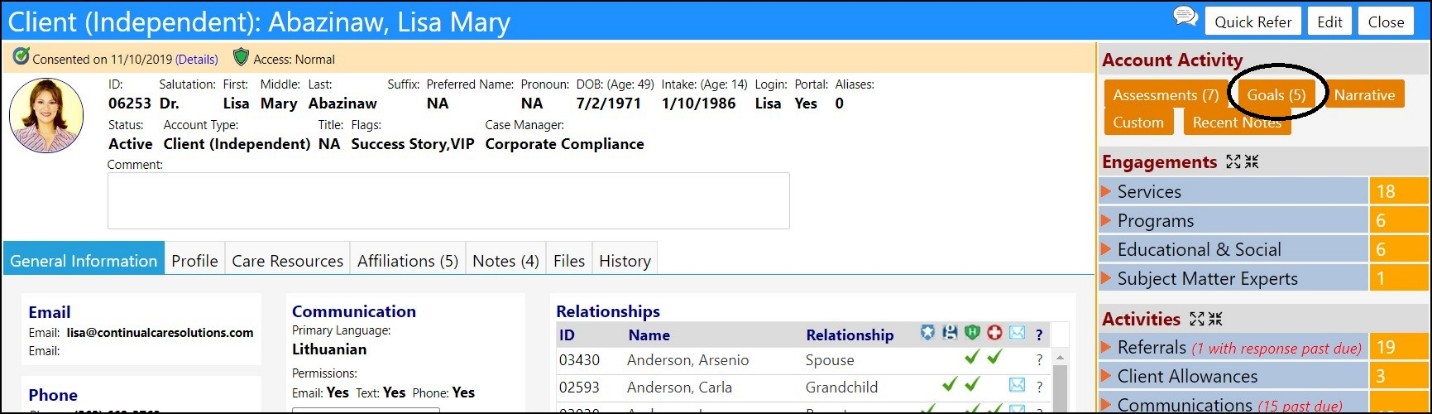
- When the Client Profile opens, click on the Goals button in the Account Activity panel on the right-hand side of the screen.
-
Make sure the Related Activities andRelated Programs boxes are checked.
- Refresh the screen if needed, to display 2 new columns:Activities andPrograms.
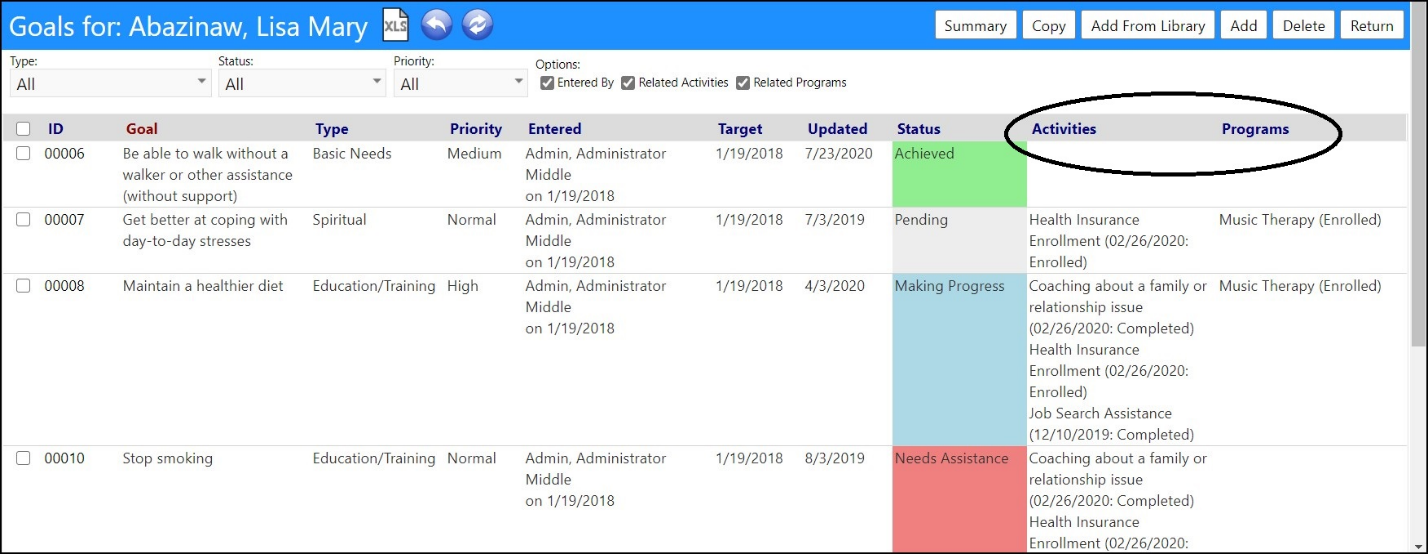
- The goals with related programs will have an entry under Programs; the goals with related services will have an entry listed underActivities.
- View the goal details by clicking on the ID number for the goal.
The goal details will display, including the barriers and past efforts.
- Select the Related Services tab and click on theID.
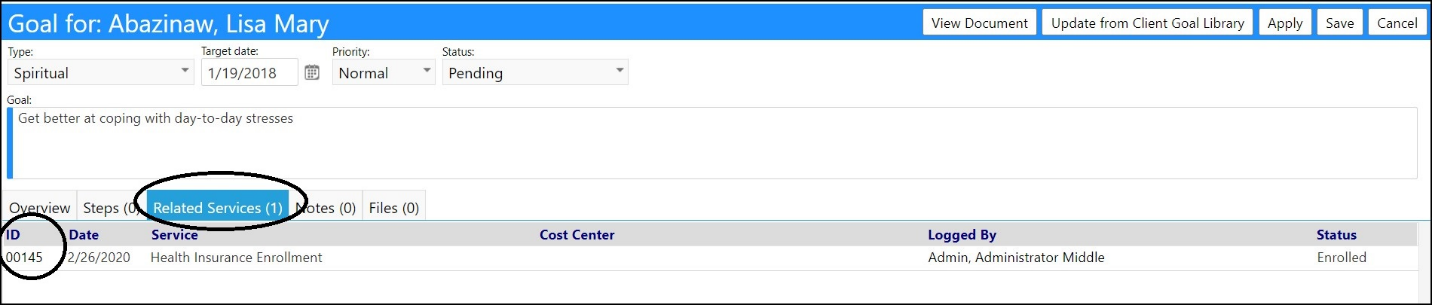
- The Service-Related Goals are displayed in the Goal Traceability tab: