How can I add website links into the Wellness Check Portal questions
This article will explain how to add a website link into one of the questions within your Wellness Check Portal (Staff and Visitor Wellness Check Portals).
Because of the ever changing situation related to the coronavirus, sometimes it is easier to direct someone to a website containing the latest information rather than constantly changing the questions in the wellness portal. The following will explain how you can insert a link into your questions so users can click on that link to get the latest information so they can properly answer the wellness check question.
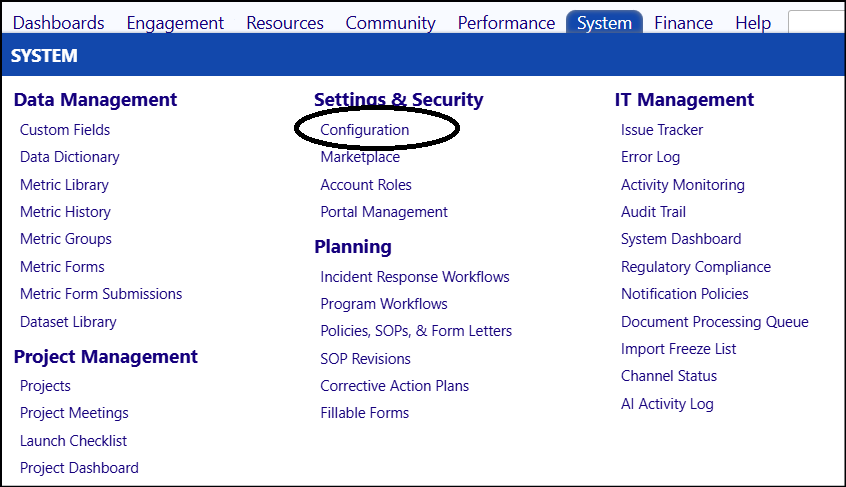
- Access the Wellness Check Portals via Configuration in the Settings & Security section of the System menu:
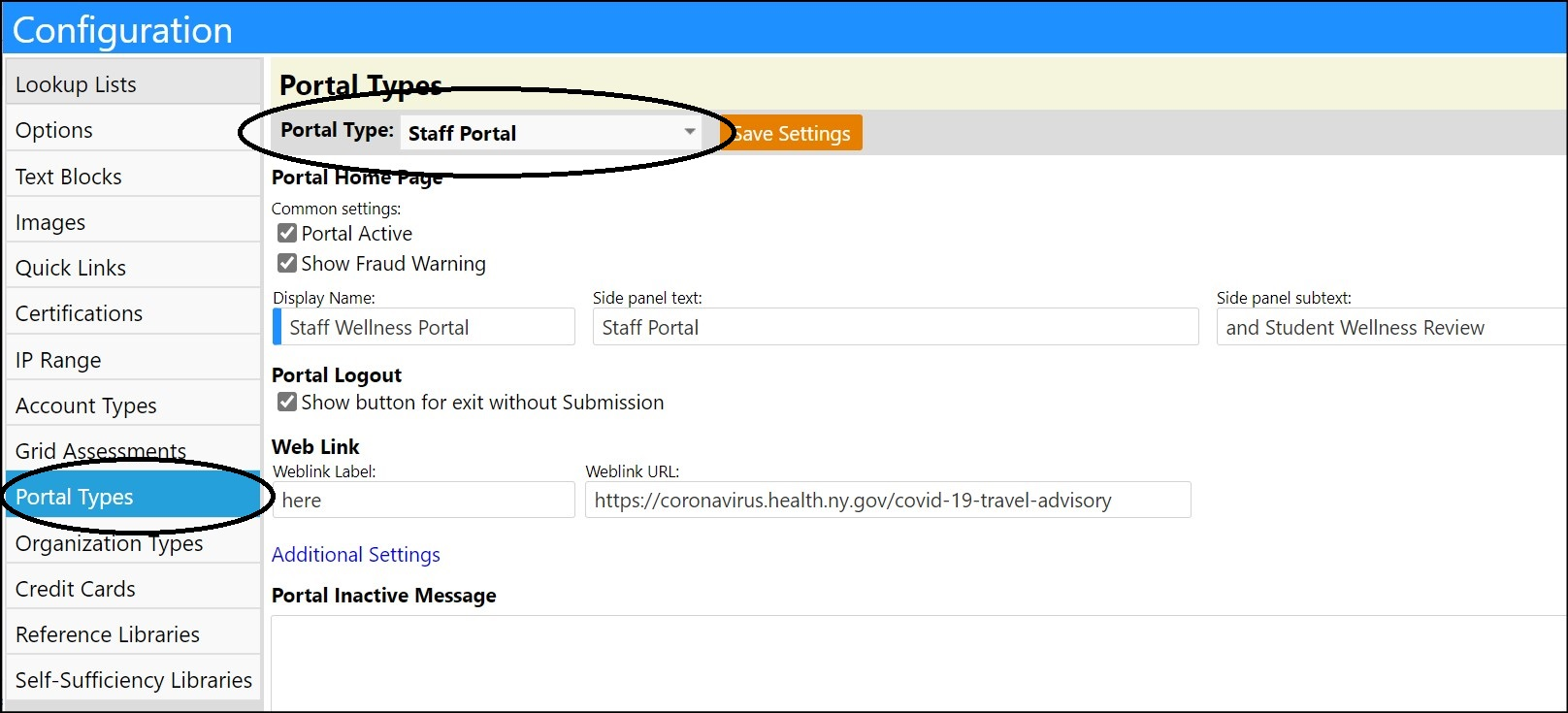
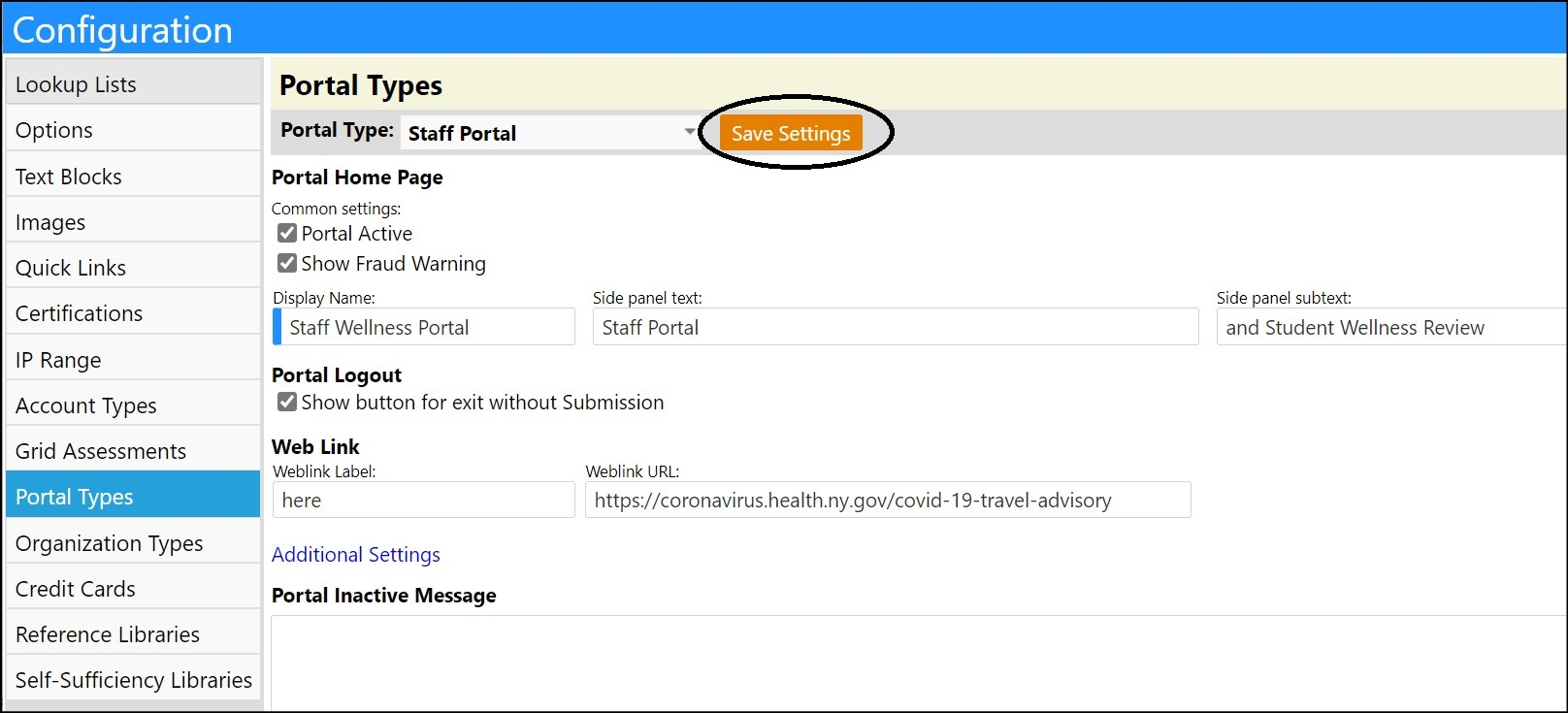
- Select the Portal Types configuration section.
- Select either the 'Staff Portal' or the 'Visitor Portal' from the Portal Type drop-down list.
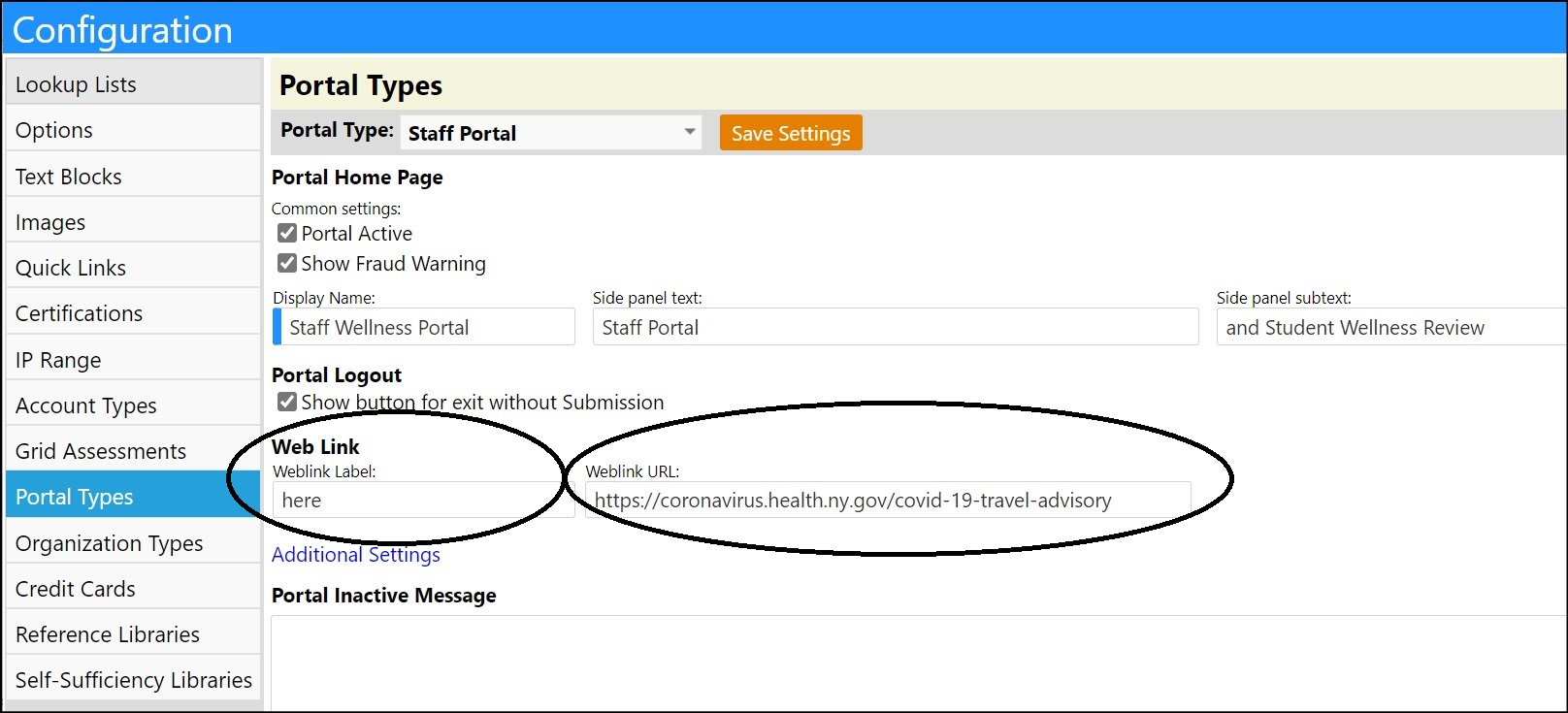
- Enter a website URL into the Weblink URL: field.
- Enter something like the word “here” into the Weblink Label: field. This word will be what users will click on in your message to be brought to the website URL.
- Click on Additional Settings.
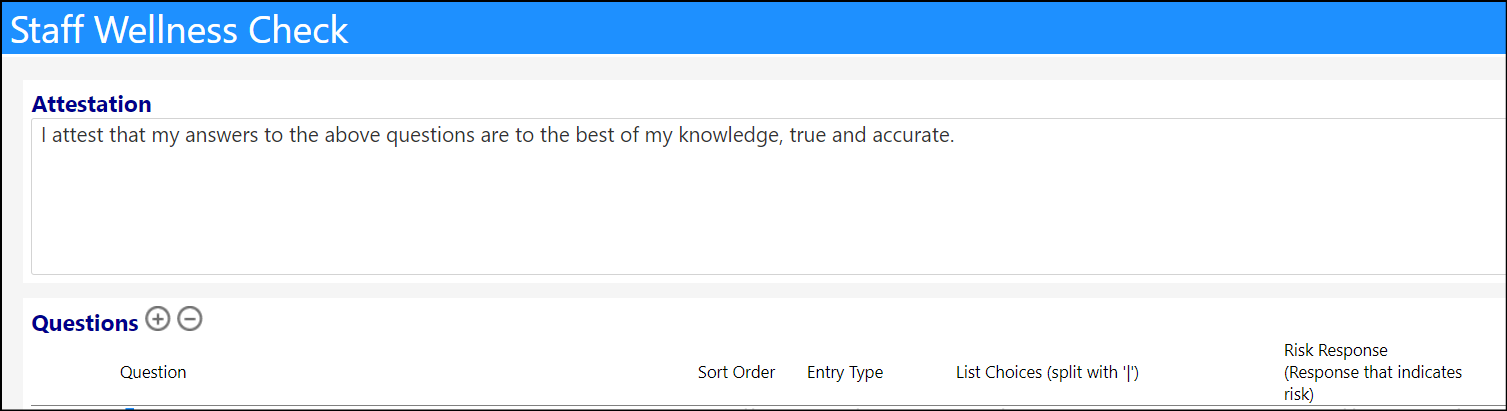
- Either create a new Wellness question or edit an existing question to be something similar to the following.
Have you travelled internationally within the past 14 days or have you visited any of the states listed in the NY Coronavirus Travel Advisory within the past 10 days - for purposes other than essential work, business, or where you spent more than 3 hours of time? (See the latest list of states [WebLink].)
NOTE: You have to include the brackets and the word WebLink (i.e. [WebLink]). This is the link to the Weblink URL that you entered on the portal set up.
- Set the Risk to “yes”.

- Click Save.
- Click Save Settings for the portal.
In the Wellness Portal, the question will now look like this:
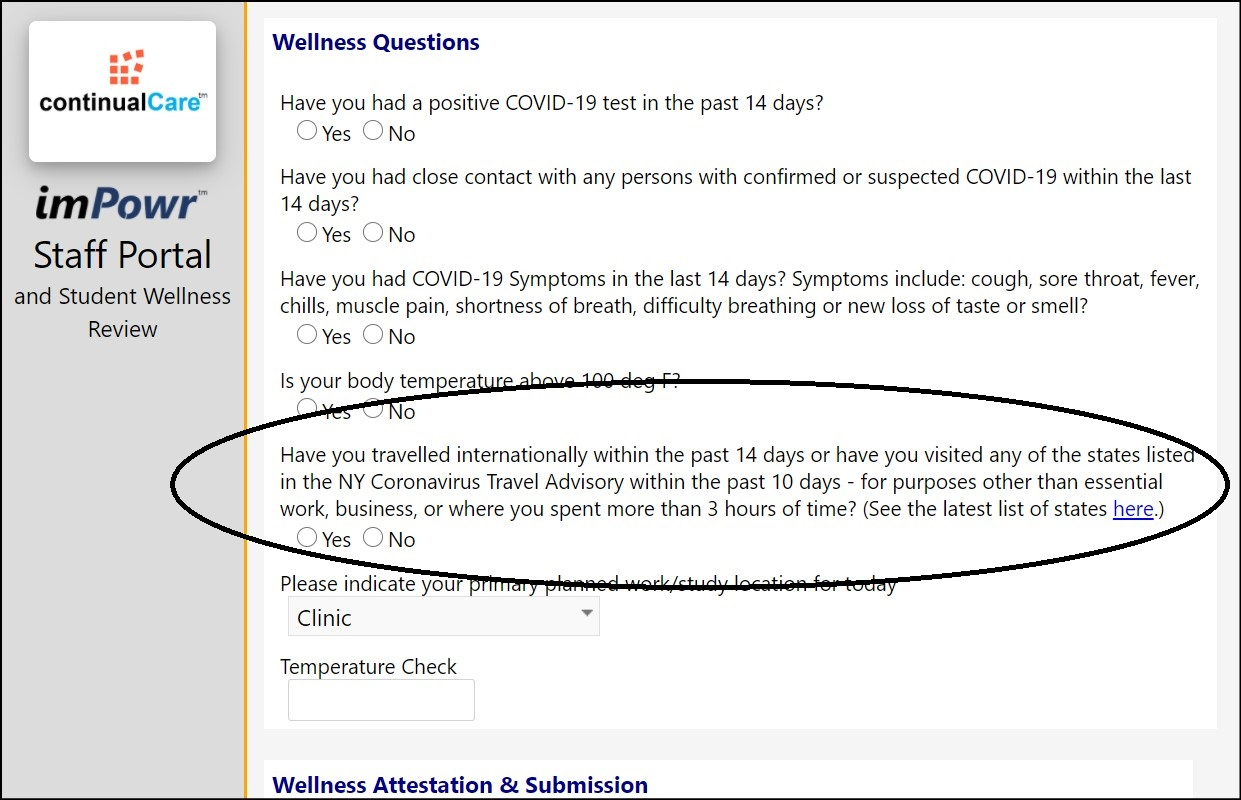
When someone accesses the question, they can click on the word “here” and they will be brought to the website you linked to this question to view the list of restricted states.